
Sort a Stock Photo Shoot Into Folders: Why Context and Cast Matter
Sort for you is new in the Stock ImageIQ web app, in beta. Write what the shoot is about and who is in it, and get folders by who is in each photo. Shown on a real 325-photo family shoot.
A shoot comes off the card as one folder. This one is a family birthday at home: 325 photos of a father, a mother, their daughter and both grandparents, in the kitchen, at the dining table and on the living room sofa. Before anyone writes a title, the shoot has to be sorted: who is in each frame, and where.
Sort for you does that first pass. It's a new feature in the Stock ImageIQ web app, in beta. You write two lines, it proposes the folders, and nothing moves until you approve them.
Two lines from you
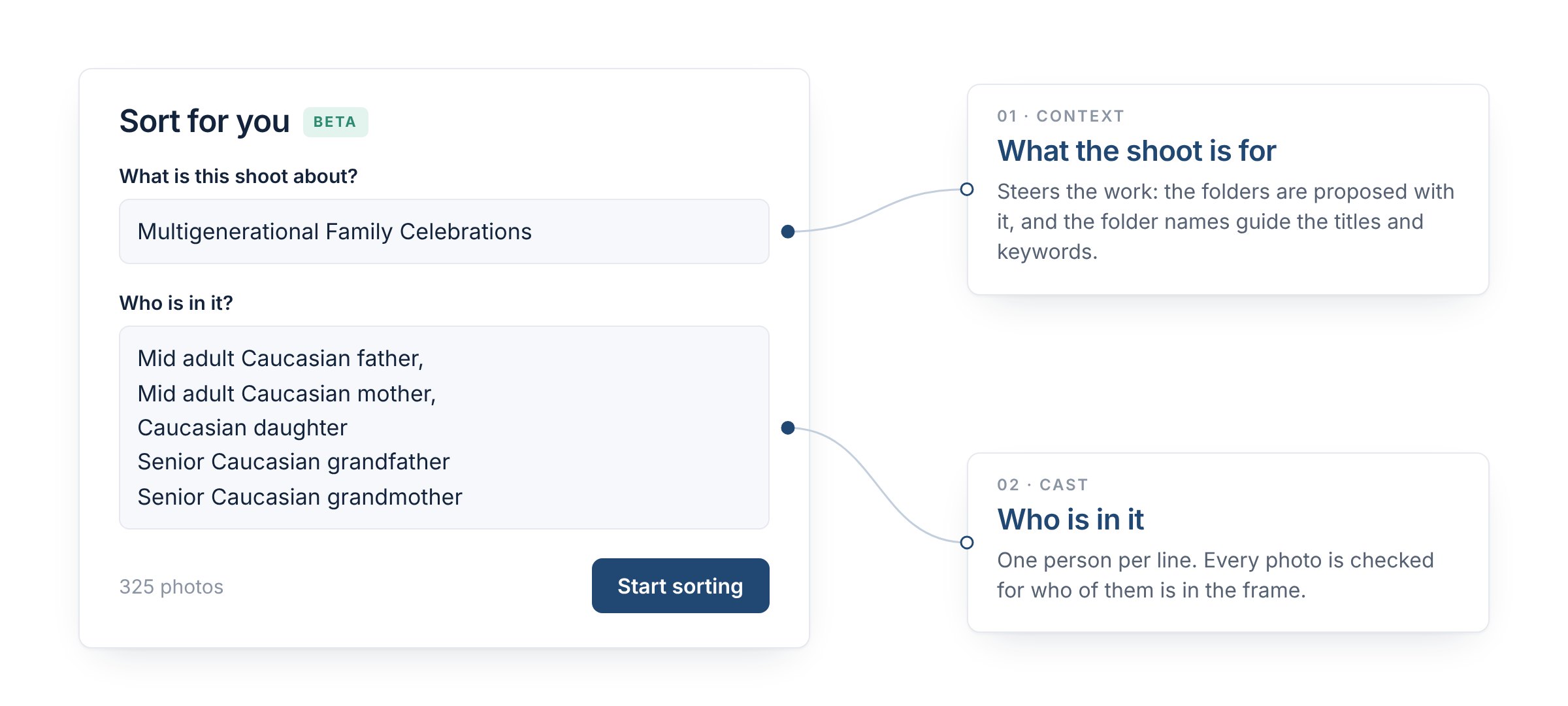
The two fields, exactly as they were filled in for this shoot.
The window asks two questions: what is this shoot about, and who is in it. For the family shoot, the answers were:
- What is this shoot about? Multigenerational Family Celebrations
- Who is in it? One person per line: mid adult Caucasian father, mid adult Caucasian mother, Caucasian daughter, senior Caucasian grandfather, senior Caucasian grandmother.
That's all you type. Any language is fine. When your notes need it, Sort for you rewrites them in English the way it reads them, and shows you the rewrite to check or edit before it starts. If you prefer, you can use your original text.
The context steers the work
The first line looks like a label, but it does more: it tells the system what the shoot is for. The same 325 photos could be a birthday story, a food story or a home-living story, and only you know which one you shot. The context carries that intent through the whole job. The folders are proposed with it in mind, and then the folder names guide the titles and keywords of every photo in them.
That's why Sort for you asks instead of guessing. It doesn't take the curating away from you, only the clicking. You decide what the shoot is about, the system sorts in that direction, and you review the result. You stay the curator of the process.
The cast lets it sort by who is in the frame
The second line is the list of people. With it, Sort for you doesn't sort by "two women and a man". It checks who is in each photo, by the names you gave, and keeps the photos with the same people in the same place together.
On this shoot, that's how the photos without the grandparents ended up apart from the photos with them. Nobody marked them. The parents and their daughter on their own went into their own folders: 45 photos in the kitchen and 46 in the living room. The frames where the grandparents join them went into others: 32 in the living room and 23 in the dining area. In total, Sort for you proposed 45 folders for the 325 photos.
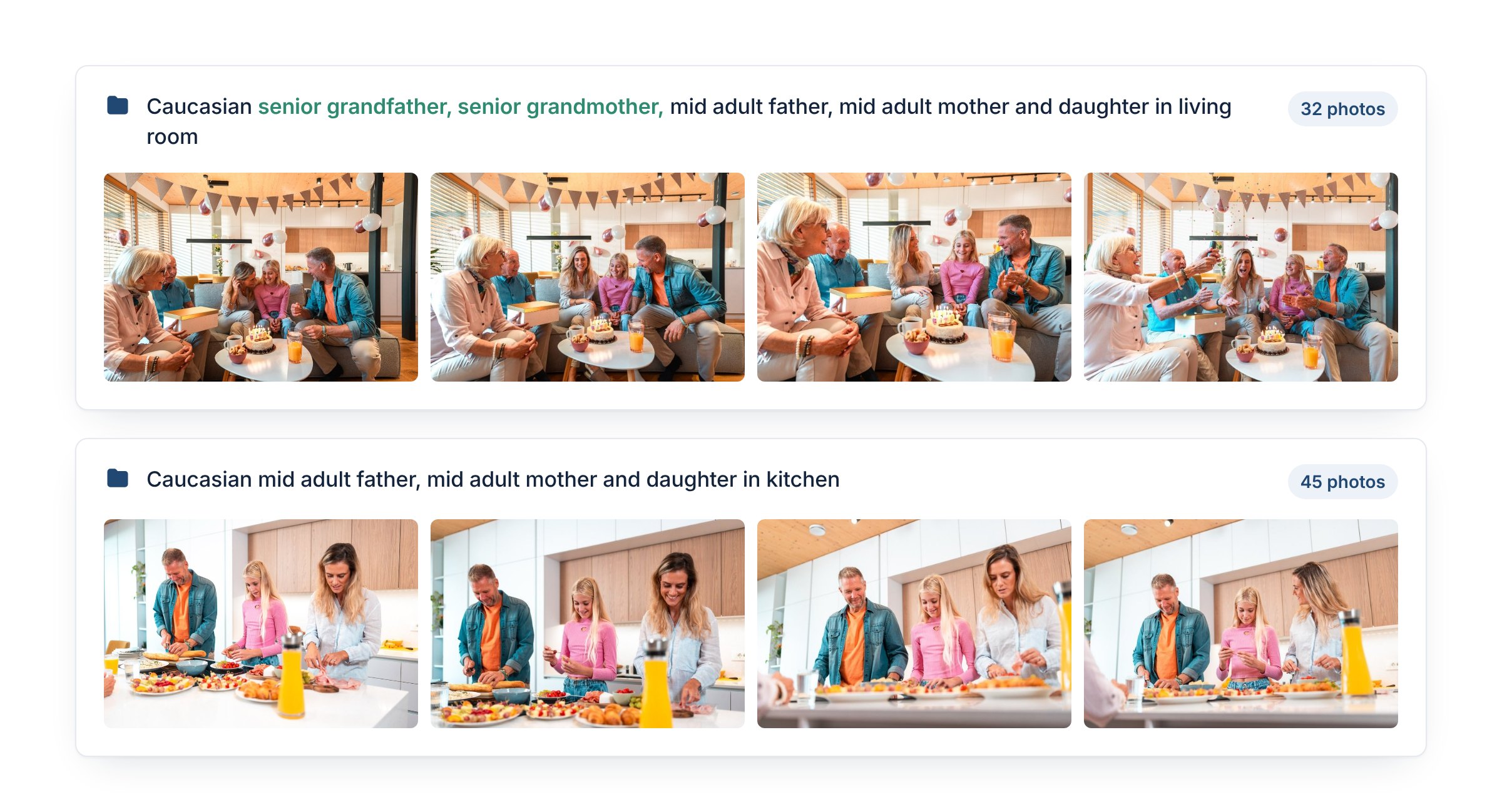
Two of the 45 proposed folders, with their real names and counts. The only difference between them is who is in the frame. Photos: azmanl
The cast also keeps the relationships right. It names the girl once, as the daughter. Next to her parents she stays the daughter. At the table with her grandfather, the folder calls her the granddaughter.
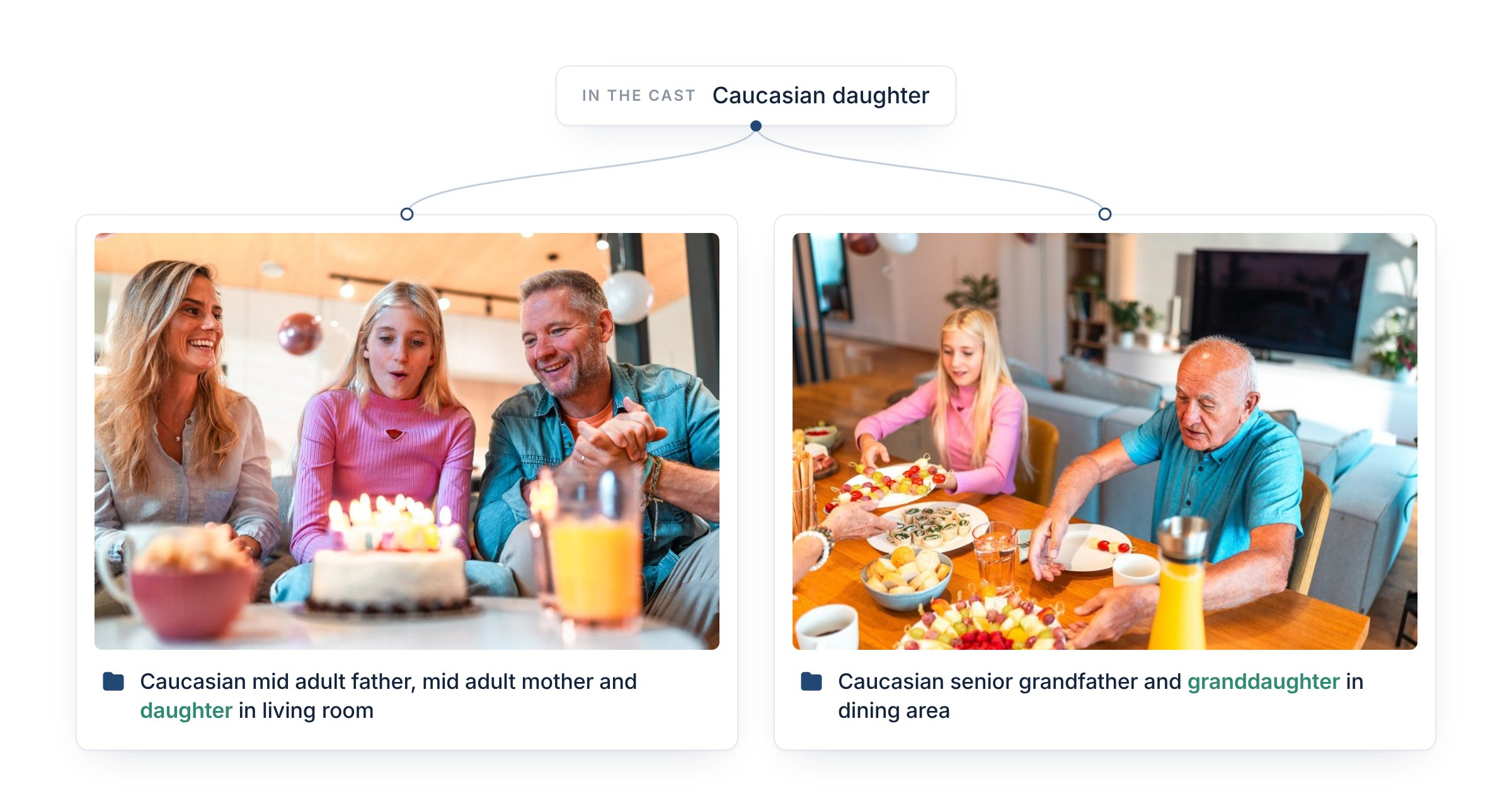
Same girl, same line in the cast. The folder names her by who she is with. Photos: azmanl
Why the split matters for the keywords
The folder names guide the titles and keywords, so the split doesn't stop at the folders. It carries into the metadata of every photo. Here is how many photos in each of the two folders above got each keyword:
| Keyword | Parents and daughter, kitchen (45 photos) | With the grandparents, living room (32 photos) |
|---|---|---|
| Family | 42 | 30 |
| Multi-Generation Family | 0 | 30 |
| Senior Adult | 0 | 32 |
A buyer searching for a multi-generation family gets the frames with the grandparents. A buyer who needs parents with their child gets the ones without, and the keywords never promise grandparents a photo doesn't show. Each photo lands in the category where a buyer will look for it.
The same family still reaches different buyers. Three photos from the parents-and-daughter folders, with the keywords they got:
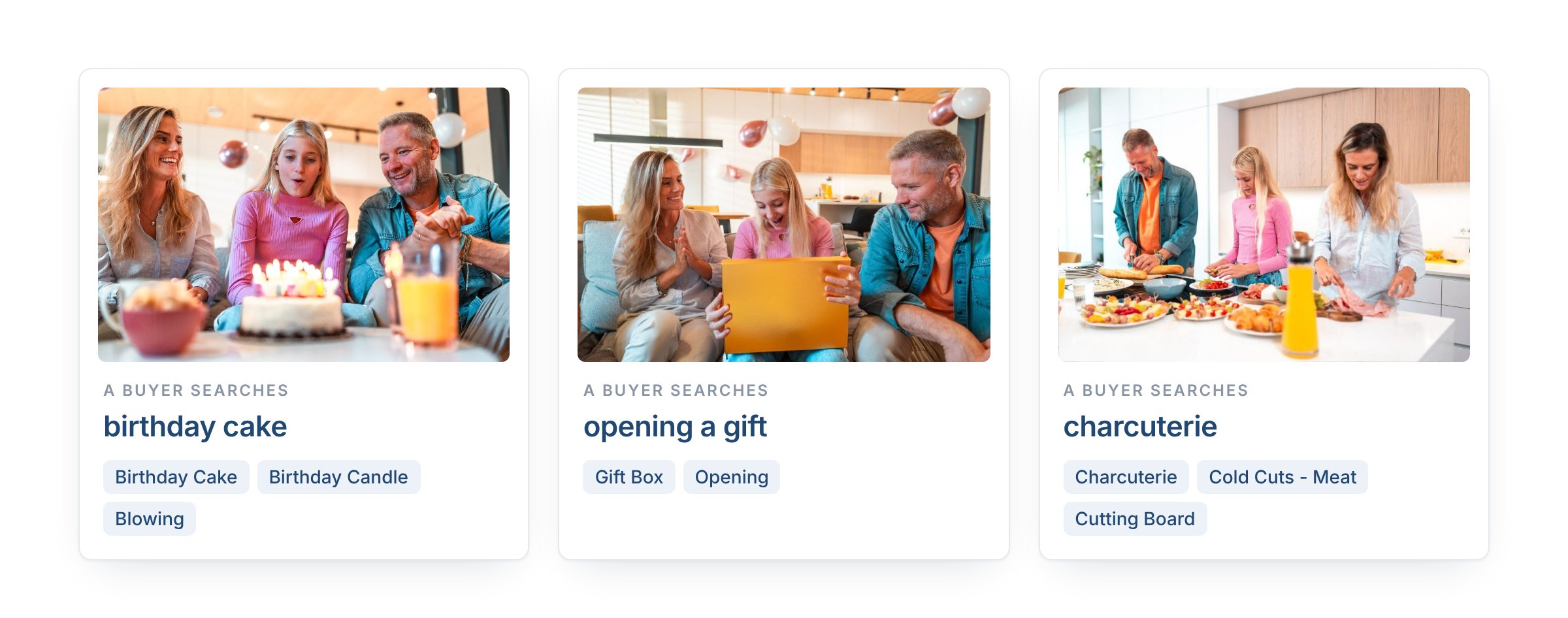
Same family, three different searches. The keywords are the ones each photo got. Photos: azmanl
That's the buyer angle: the folder says who and where, and each photo adds why someone would buy it.
It's a beta: review before you apply
Sort for you is in beta, and it can make mistakes. That's why it proposes and never moves anything on its own. When the proposal is ready, you open Review proposed folders and see every folder with its name, its count and its photos. You can rename any folder, or skip it and leave its photos in Unsorted. Only Apply moves the files, and Undo puts them back.
So read the folder names before you apply. On this shoot, a few kitchen photos show a grandparent only from behind, at the edge of the frame, and they landed in the parents' folder. When something is off, rename the folder or skip it. Or fix the input: discard the proposal, say more precisely what the shoot is about and who is in it, and run Sort for you again. A clearer cast is usually the fastest fix.
Faster, without losing quality
Sorting a shoot by hand means opening every frame and dragging it into a folder, 325 times for this one. The proposal for this shoot was ready in under two minutes. And because the folders follow who is in each frame, nothing is lost along the way: the titles and keywords still say exactly who is in each photo, and each photo still lands in the category buyers search. Sort for you speeds up your workflow without giving up quality or the placement of your work in the right categories.
What's next
Today, Sort for you works with photos. Video is coming soon.
To make it even simpler, a Stock ImageIQ desktop app is also on the way. It will have the same features as Stock ImageIQ on the web, but it will work directly with the files on your computer and write the metadata straight into your images.
Follow us for more updates on Instagram.
FAQ
Does Sort for you move my files?
Not until you approve. Sort for you proposes folders; you review them, rename or skip what you want, and only Apply moves the photos. If you change your mind, Undo moves them back to Unsorted.
What should I write in "Who is in it?"
List each person once, one per line, with what tells them apart: age, ethnicity, gender and a role if they have one, such as mother or grandfather. The more precisely the cast describes the people, the better the folders.
Can I write in my own language?
Yes. Sort for you rewrites your notes in English the way it reads them and shows you the rewrite before it starts. You can edit it, or use your original text.
Does it work for video?
Not yet. Today it sorts photos; video is coming soon.
Two lines from you, folders from us. Try Sort for you on your next shoot.
Read next: What Stock ImageIQ Is: One Shoot, Every Aisle · How to Write Stock Photo Titles and Descriptions