
How Many Keywords Should a Stock Photo Have?
You get around 50 keyword slots, but filling them all can hurt. Why the first 10 deserve the most care, why filler backfires, and how many keywords real shoots use.

As many as are true and searchable. Usually that is well below 50. Every keyword has a weight, and a weak one is not free.
We asked our Instagram followers how many keywords they put on one photo: 12% said 10 to 20, 50% said 20 to 35, 38% said 35 to 50. Everyone is right. The honest answer depends on what else you upload, and this post explains why.
The first 10 deserve the most care
Some agencies weight the first keywords most; others ignore the order. Either way, put the subject, the action and the reason a buyer needs the photo at the top. It costs nothing where order is ignored, and it counts where it isn't. For the photo above:
- Self Care
- young women
- Balcony
- coffee cup
- Morning
- Me Time - Concept
- Relaxation
- Mindfulness
- Sitting
- wellbeing
These are the real keywords of a similar frame from the same shoot; the order is our suggestion. In Stock ImageIQ you can drag any keyword into place, and the export keeps your order.
A weak keyword is not free
Every keyword should relate to what the image shows. A word that doesn't makes the whole set less trustworthy, and it puts your photo in front of people who were never looking for it. An empty slot costs nothing. A wrong keyword costs attention.
Padding backfires
Add "beach" to a balcony photo and it appears in searches it can never win. The buyer looking for a beach scrolls past. You get a view, not a download, and a view nobody clicks costs position.
What a strong set looks like
| Layer | Keywords |
|---|---|
| Who | young women, one young woman only, females |
| What | sitting, holding coffee cup, looking at camera |
| Where | balcony, morning, outdoors |
| Why | self care, me time, mindfulness, life balance |
| Detail | wicker, sheepskin, saucer, railing |
Five layers, and each word earns its place.
So how many?
Nothing asks you to fill all 50 slots. We counted four real shoots we processed in October 2026, each a different subject, and the average lands well below it:
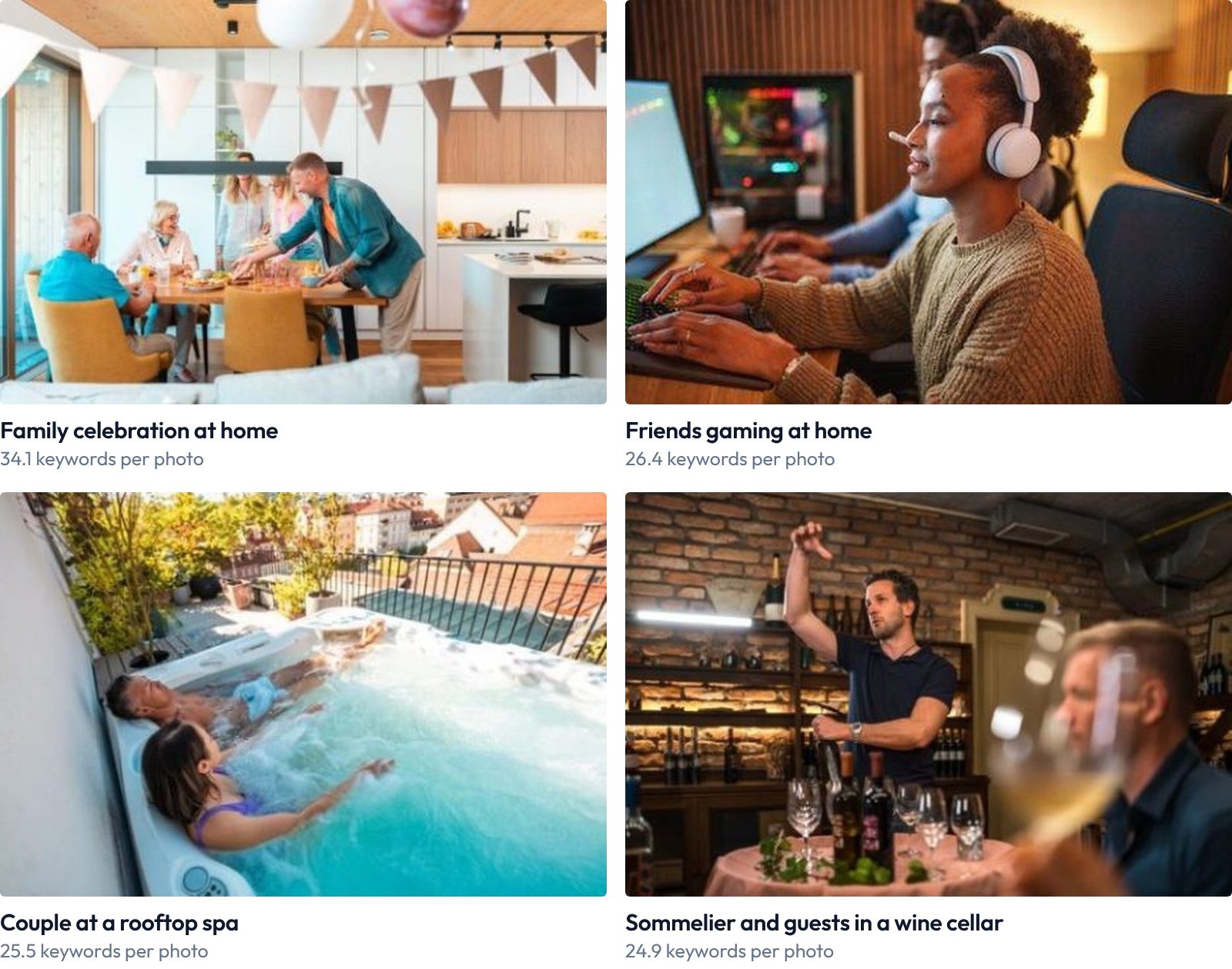
One frame from each of the four shoots. Photos: azmanl
| Shoot | Average keywords per photo | Unique keywords across the batch |
|---|---|---|
| Family celebration at home, 325 photos | 34.1 | 259 |
| Friends gaming at home, 169 photos | 26.4 | 179 |
| Couple at a rooftop spa, 199 photos | 25.5 | 142 |
| Sommelier and guests in a wine cellar, 188 photos | 24.9 | 197 |
A single photo carries 25 to 35 keywords, but each batch as a whole covers 142 to 259 different ones. Every photo takes its own share of the shoot's true words, so the batch reaches far more searches than any one photo could. That is what "it depends on what else you upload" means: the right number for one photo is set by the series around it, not by the slot count.
Takeaway
Fill the first 10 with care. Stop when the words stop being true. No synonyms for padding, nothing that isn't in the frame.
Stock ImageIQ orders keywords by importance and lets you reorder them yourself. Try it on your next shoot.
Read next: Keyword Weight: Why Niche Keywords Win in Stock Search · Same keywords on every photo? Your series is competing with itself